Pages

Showing posts with label IT. Show all posts

TYPE OF WEBSITES

Tuesday, 6 March 2018

Types of Websites


1) Portal
A portal is a web site that offers a variety of Internet services from a single, convenient differentiated. Most of the portals to offer these free services: search engine; news; sports and weather; Web publishing; reference tools such as yellow pages, stock quotes, and maps; shopping; and email and other communications services.
2) News
A news website contains interesting material including stories and articles relating to news, money, sports, life and time. Many magazine/newspaper sponsor websites that offer summaries of printed articles, as well as the items not included in printed versions.

3) Informational
Informational websites are those sites which are created in order to provide a customized and branded resource for potential and active customers, members, investors and so forth. These websites are usually content and design driven.
5) Blog
A blog, short for Weblog, is an informal Web site consisting of timestamp, or post articles, a diary or journal format, usually listed in reverse chronological order. A blog that contains video clips called a video blog, or vlog. A microblog allows users to post short messages, usually between 100 and 200 characters, for others to read. Twitter is a popular microblog.
Wikipedia

6) Wiki
A wiki is a collaborative web site that allows users to create, add, edit, or delete the contents of a web site using their web browser. Many wikis are open to modification by the general public.
Facebook

7) Online Social Network
An online social network, also called a social networking web site, is a site that encourages members to his online community to share their interests, ideas, stories, photos, music, and videos with other registered users. Most include chat rooms, newsgroups, and other communications services.

3.3 : internet services

WWW (World Wide Web)
 www
 The latest is an information service on the Internet. After the advent of the 1993rd The present multi-tens of millions of web pages is a synonym for the Internet. The first two words 'World Wide' mean global distribution, and the last word 'Web' means in this context of network computing. Scope of diverse content on the WWW servers is constantly growing. Almost everything can be found. Since the purchase of the product, technical support, advice, research papers, advertisements, price lists and who knows what all, depending on the site designated for and inspiration of their creator. So there are useful and useless, beautiful and ugly, organized and unorganized. Their development today is the extraordinary artistic and programming disciplines.


WWW is a graphical hypertext way of using the Internet using the HTTP protocol for transmitting Web pages and other information over the Internet, in principle, between the server and the user's computer. Web pages are written in HTML (Hypertext Markup Language) language, and recognizes them for this purpose designed browser (Internet Explorer, Firefox, ...). Service provides hypertext links between documents and combined display of text, images, sound and video, that enables the integration of different information content. Hypertext is a document or a system with related text units according to the principle shown in the following figure.


Electronic Mail (E-mail)
 e-mail Service which is much earlier than the World Wide Web and has won hearts of the users. The idea that in a few minutes you can deliver, text, image, audio or video recording of any person on the planet was unfeasible until recently, but now, thanks largely to the rapid expansion of the number of Internet users and the increasing       speed of communication, was to become reality of business and social communication. Mainly used for the contents of up to 500 kB. Otherwise need to use the FTP service.


FTP (File Transfer Protocol)
 FTP Before the World Wide Web and FTP was the only way to transfer large files between computers of Internet users. Allows access to a computer on the Internet (if it's public or available to the password), preview content on its hard disk, finding the necessary files and copy on its own disk. This Internet service is not as simple as the World Wide Web, but it is very useful.

File transfer function is increasingly taking the WWW, so that with a confirmation copy selected files as needed and the auxiliary program with WWW browser (GetRight or similar) which will take over the task of FTP transmission and after stop using the browser.


NEGARA YANG MEMPUNYAI KERETA API TERCEPAT DI DUNIA

Sunday, 4 March 2018


                  7 NEGARA DENGAN TEKNOLOG KERETA API TERCEPAT DI DUNIA


Citizen6, Jakarta Pemerintah saat ini sedang memfokuskan untuk pengembangan moda transportasi berbasis Light Rail Transit (LRT). Moda transportasi ini dirancang untuk menggantikan MRT yang gagal untuk diwujudkan. LRT diharapkan dapat menambah pilihan masyarakat dalam menggunakan transportasi umum, sehingga masyarakat makin banyak yang meninggalkan kendaraan pribadi mereka. Ke depannya, kemacetan diharapkan akan berkurang dengan semakin banyaknya piilihan transportasi umum yang dapat menghemat waktu.
 
Meski demikian, Indonesia sebenarnya tergolong terlambat dalam hal pengembangan kereta api cepat. Beberapa negara di Asia dan Eropa telah mewujudkan hal tersebut bertahun-tahun lalu. Nah, apa saja negara yang mempunyai teknologi kereta api tercepat di dunia tersebut?
 
1. Jepang
 
Dari seluruh negara, dapat dikatakan Jepang merupakan sang pelopor kereta api cepat. Jepang  pertama kali memperkenalkan kereta api cepat pada tahun 1964. Jepang pertama kali membuat terobosan dengan memperkenalkan seri pertama Shinkansen Tokaido, sang kereta peluru yang dapat mencapai kecepatan puncak 130 mph. Kereta api peluru pertama tersebut membawa lebih dari 100 juta penumpang hanya dalam tiga tahun pertama.
 
Saat ini, Jepang sedang mengembangkan teknologi kereta api Maglev dengan jalur antara Tokyo, Nagoya, dan Osaka. Kereta ini diharapkan dapat memotong waktu perjalanan Tokyo-Osaka yang ditempuh selama satu jam dengan Shinkansen, menjadi hanya 18 menit. Seri kereta api JR-Maglev MLXOO1 dianggap kereta tercepat di dunia dengan kecepatan 361 mph pada uji coba di tahun 2003.
 

2. Prancis

Prancis menjadi pemimpin dalam teknologi kereta api berkecepatan tinggi di daratan Eropa. Prancis pertama kali mengembangkkan TGV pada tahun 1981 dengan layanan antara Paris dan Lyomm. Sejak itu, jaringan ini telah diperluas untuk layanan 150 tujuan di Prancis dan negara-negara tetangga. Kereta TGV V150 sempat mencapai kecepatan 357 mph dan menjadi kereta tercepat kedua di dunia. Kini teknologi tersebut digunakan dalam kereta api nasional di banyak negara Eropa termasuk Inggris, Belanda, Belgia, dan Jerman.

3. Cina

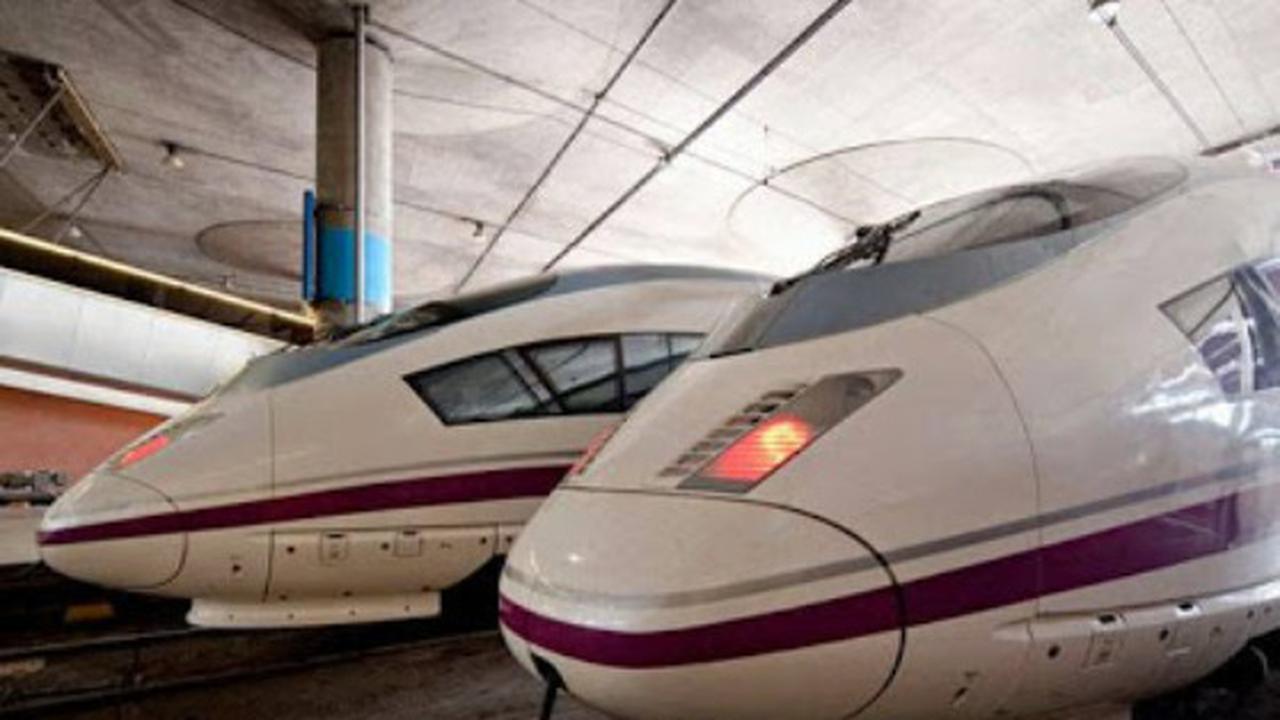
5. Spanyol

Spanyol memiliki jaringan rel kecepatan tinggi terpanjang di Eropa dengan panjang 3.433 mil. Pemerintah Spanyol berharap teknologi kereta api cepatt mereka dapat merangkul lebih dari 90 persen penduduk pada tahu 2020. Kereta api AVE memulai layanan komersial mereka pada tahun 2007 dan mencapai kecepatan 251 mph dalam tes uji coba. Meski demikian, kereta hanya diperbolehkan mencapai kecepatan 186 mph untuk keselamatan penumpang. 


6. Italia
 
Italia merupakan rumah bagi kereta api berkecepatan tinggi di daratan Eropa. Trek pertama dibuka pada tahun 1977 yang menghubungkan Roma dengan Citta della Pieve dan menempuh kecepatan maksimum 160  mph. Sejak itu, jaringan berkecepatan tinggi telah tumbuh secara substansial di negara ini. Seri ETR 500 YI merupakan yang tercepat di negara ini dengan kecepatan hingga 225 mph pada tahun 2009. Meski demikian, tidak semua lapisan masyarakat menyetujui teknologi ini sehingga banyak demonstrasi yang terjadi.  

7. Britania Raya

Eurostar telah mengubah wajah moda transportasi darat di Eropa. Sejak mulai beroperasi pada tahun 1994, kereta yang berbasis di London ini telah menghubungkan Inggris dengan kota-kota di Prancis dan Belgia melalui terowongan bawah tanah yang dibangun di bawah Selat Inggris. Kini, Eurostar telah melayani 100 tujuan di seluruh Eropa dengan kecepatan hingga 186 mph. Seri kereta api cepat Eurostar 3313/14 berhasil memecahkan rekor kereta api cepat ddi Inggris pada tahun 2003 dengan kecepatan hingga 208 mph. 

Pekerjaan yang ditawarkan dalam bidang sains komputer


KERJAYA YANG DITAWARKAN DALAM BIDANG SAINS KOMPUTER 

ROBOTIC VACUUM CLEANER

                10 ADVANTAGES OF USING ROBOTIC VACUUM CLEANER 

A robotic vacuum cleaner is a disk-shaped, small but powerful automatic vacuum cleaner fitted with sensors. It can be programmed to vacuum clean your floors and rugs when you are busy doing something else. Robotic vacuum cleaners are available with many different capabilities and prices can vary between $150 to over $1000. These machines are great for people who are short of time. Some of the main advantages of using a robotic vacuum cleaner are detailed below.

1 – Saves Time

In today’s world, time is money. Most families consist of young children and working parents. In such a scenario, cleaning becomes a time-consuming and exhausting task, especially in larger homes. A robotic vacuum cleaner does all the work by itself and requires no supervision. By investing in one of these machines, you can save yourself a lot of time and effort.

2 – Ideal for People with Mobility Issues

People with disabilities or mobility issues can look at robotic vacuum cleaners as an alternative to expensive housekeeping services. The machine can be set to clean as often as required, while requiring minimal maintenance.

3 – Advanced Features

Higher end models of robotic vacuum cleaners allow you to achieve a better clean. Some features include large dust bags that will last for multiple cleaning sessions, advanced sensors that can detect changes in surface and the ability to transition between bare floor and carpets.
4 – Detects Changes Between Surfaces
A robotic vacuum cleaner can detect changes in the surface underneath and adjust its settings accordingly. It can also detect walls and stairs and will automatically turn around when it comes across one.

5 – Includes Options for Automatic Recharging

Once the robotic vacuum cleaner completes it task, it will go back to its docking station. If it is running low on battery, it can automatically recharge itself as well.

6 – Virtual Walls Enable You to Set Boundaries

You can set virtual walls for the robotic vacuum cleaner. A virtual wall acts as a boundary that the machine will not cross. It is ideal to prevent the machine from going across doorways and openings.

7 – Detects Amount of Dirt in Different Spots

Many robotic vacuum cleaners have advanced sensors that can detect the amount of cleaning required at different spots. The machine will linger on and repeatedly clean a surface till it is clean.

8 – You Can Clean Your Home when Your Are Away

When you are working or are outside the house, you can put the robotic vacuum cleaner to work as well. Just keep the floor clear of obtrusive items and ensure that drapes are away from the floor.

9 – Minimal Maintenance

A robotic vacuum cleaner is a hardy machine that will last for years if treated properly. Keep sharp or damaging particles out of its way, replace the dust bag as needed and clean the filter and brushes as required. No other maintenance is required.
10 – Able to Go Under Furniture and Around Corners
The small, disk shape of the robotic vacuum cleaner gives it great maneuverability and flexibility. It can reach all the corners and undersides of furniture that a normal vacuum cleaner cannot reach

TIPS ON HOW TO PREVENT MALWARE FROM INFECTING OUR COMPUTER

Saturday, 3 March 2018


Tips on How to Prevent Malware From Infecting Your Computer


1. Install Anti-Virus/Malware Software.

This tip may go without saying, and I almost just casually mentioned it in my                                                        opening paragraph. However, I have seen many computers—especially home                                                  computers—that don’t have anti-virus/malware protection. This protection is                                                          a must-have first step in keeping you computer virus free.


How_To_Prevent_Malware_Virus_Scan_new

2. Keep Your Anti-Virus Software Up to Date.

Having protection software is the first step; maintaining it is the second. Free anti-virus 
software is better than nothing, but keep in mind that it’s not the best solution. Microsoft
does provide a security package for “free.” It’s free in that if you have Windows on your 
machine, you are granted access, but you did pay for your Windows license. Many
users aren’t aware of this program, but it’s actually decent protection.

3. Run Regularly Scheduled Scans with 

Your Anti-Virus Software.

This too may seem like a no-brainer, but many of us forget to do this. Set up your 
software of choice to run at regular intervals. Once a week is preferred, but do not 
wait much longer between scans. It’s difficult to work on your computer while 
your anti-virus software is running. One solution is to run the software at night when
you aren’t using your computer. However, we often turn off our computers at night, 
and so the scan never runs. Set your anti-virus software to run on a specific night, 
and always leave your computer running on that day. Make sure it doesn’t shut off 
automatically or go into hibernation mode.

4. Keep Your Operating System Current.

Whether you are running Windows, Mac OS X, Linux, or any other OS, keep it up 
to date. OS developers are always issuing security patches that fix and plug security leaks.
 These patches will help to keep your system secure. Similarly, keep your anti-virus 
software up to date. Viruses and malware are created all the time. Your scanning software 
is only as good as its database. It too must be as up to date as possible.

5. Secure Your Network.

Many of our computers connect to our files, printers, or the Internet via a Wi-Fi connection.
 Make sure it requires a password to access it and that the password is strong. Never 
broadcast an open Wi-Fi connection. Use WPA or WPA2 encryption. WEP is no longer 
strong enough as it can be bypassed in minutes by experts. It’s also a great idea to not 
broadcast your SSID (the name of your Wi-Fi network). You can still access it with your 
device, you will just have to manually type in the SSID and the password. If you frequently
have guests who use your Internet, provide a guest SSID that uses a different password, 
just in case your friends are evil hackers.
How_To_Prevent_Malware_Secure_Network_new


clock

Marquee

Alhamdulillah akhirnya dengan susah payahnya akhirnya siap jugak cerita saya